
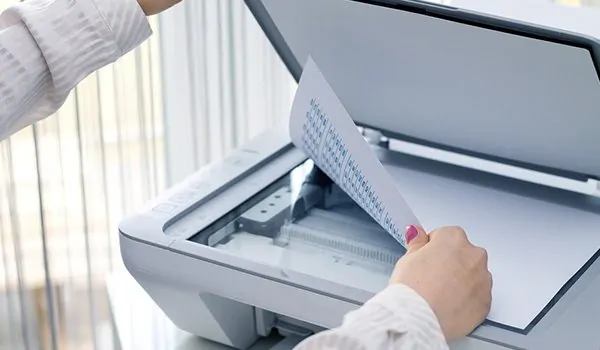
On the surface, it seems that every company could scan their documents from the start. After all, all it takes is a decent scanner purchased, a person assigned a few hours, and they can go box by box when the workday is a little slow. That’s what people think will happen at least. But instead, it takes weeks and months, the work gets frustrated and half-heartedly done, and instead, time that could be spent on revenue-making opportunities is lost. Therefore, companies pay for document scanning while having the necessary resources and manpower to do it themselves.
The difference between we can do this and we should do this is bigger than most people realize until they try it themselves and realize their errors too late.
People Always Underestimate Time
Any business owner looking at a pile of documents thinks it will take maybe a week of scanning. They don’t account for setup time, quality assessments, naming files, organizing them, and stepping away from the scanner every two minutes to answer a work call or check their email. They forget that service providers like The Docshop are responsible for volume—that’s their only job. Therefore, instead of fitting document scanning in between an hour-long meeting and three work calls, they’re focused 100% on the task at hand.
Time calculations rarely add up in a business owner’s favor. When accounting for actual labor cost per hour, if someone in-house making $25 an hour is putting in three weeks at full productivity (which they won’t—operational needs will inevitably draw them away), that’s thousands of dollars just to get the project done. Professionals work faster on dedicated machines because that’s their focus in staffing. Something that takes a company three months to complete internally gets done in a few short days.
People Fail to Recognize Quality Until Much Later
The problem with trying to do something yourself is that flaws don’t become evident until someone tries to use those scans months down the line. They’ve scanned at low resolution, and pages are blurry. They’ve fed papers on a crooked angle and gotten angled images. They’ve set the scanner to black and white where text isn’t searchable. By the time they realize these issues, the originals have been tossed.
Professional services assess good quality at the get-go. They ensure proper resolution and clarity. They confirm OCR (optical character recognition) settings before continuing. If something doesn’t come out right, they fix it now and rescan instead of resettling the paper in the pile and pretending it didn’t happen.
Full-size scanners are no issue for professionals; they know how to approach varied page sizes and what’s required (color settings, photo adjustments, etc.). A company scanner has one or two settings; professional equipment has dozens—and those who operate them know how to get it right.
The Equipment Isn’t Right
Business scanners cost anywhere from a few hundred dollars to several thousand dollars—which could be better spent on a “one-off” job. However, what’s worse is that they become dead capital when they’re not used for an extended period post-project.
But it’s not just company-level scanners that are an issue. Professional document scanning machines are different animals altogether. They are faster, more reliable, digitized page turners for thousands of dollars each. The only way that those expenses are justified are if scanning documents is a business’s core function—and usually, they’re not.
Other factors come into play regarding maintenance. Professional services maintain their commercial-grade machines, they change parts before they become problematic, and they have “back up” equipment when something fails. A company with one scanner in-house waits until it jams or breaks until it can figure out its next steps—which could take longer than necessary in a time-sensitive environment.
It’s an Organizational Issue
Scanning is essentially converting files to digital formats. The harder part is organizing them in a way that makes sense—and continues to make sense years down the line. Professional services structure the naming conventions of files, folder hierarchies, and metadata that help find documents down the line.
Companies who start scanning with good organizational intentions end up with a folder called “Misc Documents 2” and a file named “Scan001.pdf” because they don’t think about how their system will progress or don’t continue with consistency as they go along. It’s worse to fix that problem down the road than do it right the first time.
Availability for Staff Gets Misappropriated
Handing off scanning to existing staff means something else isn’t getting done. No matter how easy the task may seem to be for all those employed there, hours dedicated to scanning are hours not invested in creating revenue or meeting basic business needs.
The thought of “doing it on slow days” never happens either; slow days rarely come or come filled with projects that have been back-ordered for years. That pile of boxes sits in the corner for months as space gets wasted and guilt builds over something that’s never going to get done.
Temp staffing solutions seem available until people remember that temp workers still take time to hire, get trained, vetted, supervised, and there’s risk involved with letting outsiders handle proprietary documentation for company-wide use. The internal overload often outweighs what it costs to outsource.
The Volume Problem
Small-scale scanning here or there—maybe a dozen at a time—is reasonable enough for companies to handle themselves; once it gets into hundreds or thousands of pages over time, the scale tips toward professionalism—and per-page cumulative costs lower for volume use out of familiar systems.
Volume is always underestimated by companies; what looks like five boxes turns into fifteen when businesses rummage through stored boxes for older files. Trying to DIY only to see halfway through that it’s too much creates scenarios where those who are scanned professionally versus professionally can’t be consistent.
Legal and Compliance Issues
Certain industries have requirements (i.e., medical records) where things are inaccessible once noted—what matters most is post hoc in terms of comprehensive review showing compliance with regulations. Professional scanning services know these requirements and can certify compliance where internal implementations cannot.
Particularly where chain-of-custody issues emerge (i.e., legal matters), professional services can provide documentation for specific security measures that in-house processes do not have; this can matter greatly in cases where documents enter legal proceedings for audits.
The Real Costs
When companies calculate what internal scanning costs—supplies, equipment (potential purchasing), staffing levels, delayed projects or subpar quality—which bring about additional purchases—they often find themselves paying less for professional services across the board.
Yet when companies look at professional services, it’s an upfront known expense everyone can understand; internal efforts cost pennies now but add up later as they’re hidden in one-time costs across budgets.
Furthermore, companies like predictability where professional services quote prices for comprehensive efforts; when companies take the DIY route, costs go above expectations when projects take longer than hoped, require repairs planned or mistakes due to qualities that could have easily been avoided with external review.
It’s What They’re Best At
Companies wouldn’t pay professionals if they excelled at it—as long as all they need their professionals to do is what they’re best at—and document scanning isn’t something for which businesses should divert staff from their primary responsibilities just to stamp about a half-finished job.
Better to pay someone else to get it done right so everyone can maintain productivity than resent an unnecessary job three weeks into running out of supplies when it’s clear it’s not worth anyone’s time anyway.